• +60379566306
  • info@6sigmasynergy.com.my
Follow Us :
Six Sigma Synergy
  • Data Analysis NEW
    • MICROSOFT EXCEL (INTERMEDIATE) HOT
    • 1 DAY-EXCEL ESSENTIALS NEW
    • 1 DAY-EXCEL FOR EVERYDAY PRODUCTIVITY NEW
    • 1 DAY(In-House) - INTERACTIVE DASHBOARD USING EXCEL NEW
    • MICROSOFT EXCEL (ADVANCED)
    • MICROSOFT EXCEL AND PIVOT TABLE
    • Microsoft Excel Power BI HOT
    • Microsoft Power BI Certification HOT
    • Tableau Desktop NEW
    • Python For Data Science / Data Analysis
    • Microsoft Power Automate for Cross-Department Business Process Automation HOT
  • Lean Six Sigma HOT
    • Lean Thinking
    • Lean Practitioner
    • Lean Six Sigma Yellow Belt Certification
    • Lean Six Sigma Green Belt Certification
    • Lean Six Sigma Black Belt Certification (Service Sector)
    • Lean Six Sigma Black Belt Certification (Industrial Sector)
  • CAD course
    • AutoCAD 2D
    • AutoCAD 3D
    • AutoCAD Electrical
    • Ansys Mechanical
    • Ansys Fluent
    • AutoDesk Inventor
    • SolidWorks
    • PLC Engineering NEW
    • Revit MEP
    • Revit Architecture
  • Project Management
    • Project Management Professional HOT
    • Primavera
    • Microsoft Project Training HOT
    • PMI – Agile Training
    • PPM Concepts
  • EXIN Courses
    • EXIN BCS Artificial Intelligence Foundation NEW
    • EXIN BCS Generative Artificial Intelligence Award NEW
    • EXIN Privacy and Data Protection Foundation
    • EXIN Information Security Foundation based on ISO/IEC 27001
    • EXIN Privacy and Data Protection Professional
    • EXIN BCS Machine Learning Award
    • EXIN Data Analytics Foundation
  • Others
    • ASME – BASIC NEW
    • ASME – INTERMEDIATE NEW
    • TECHNICAL REPORT WRITING WITH AI NEW
    • PERSONAL DATA PROTECTION IN PRACTICE NEW
    • STRATEGIC PERSONAL DATA PROTECTION & PRIVACY STRENGTHENING NEW
  • Enquire Now
Six Sigma Synergy

Contact Info

  • C-18-06, 3 two square, Block C, 6th floor, Jalan 19/1, 46300 Petaling Jaya, Selangor, Malaysia
  • +60379566306
  • info@6sigmasynergy.com.my
  • Home
  • Courses
  • TECHNICAL REPORT WRITING WITH AI

TECHNICAL REPORT WRITING WITH AI

TECHNICAL REPORT WRITING WITH AI
  • Overview

  • Target Participants

  • Benefits

  • Learning Outcomes

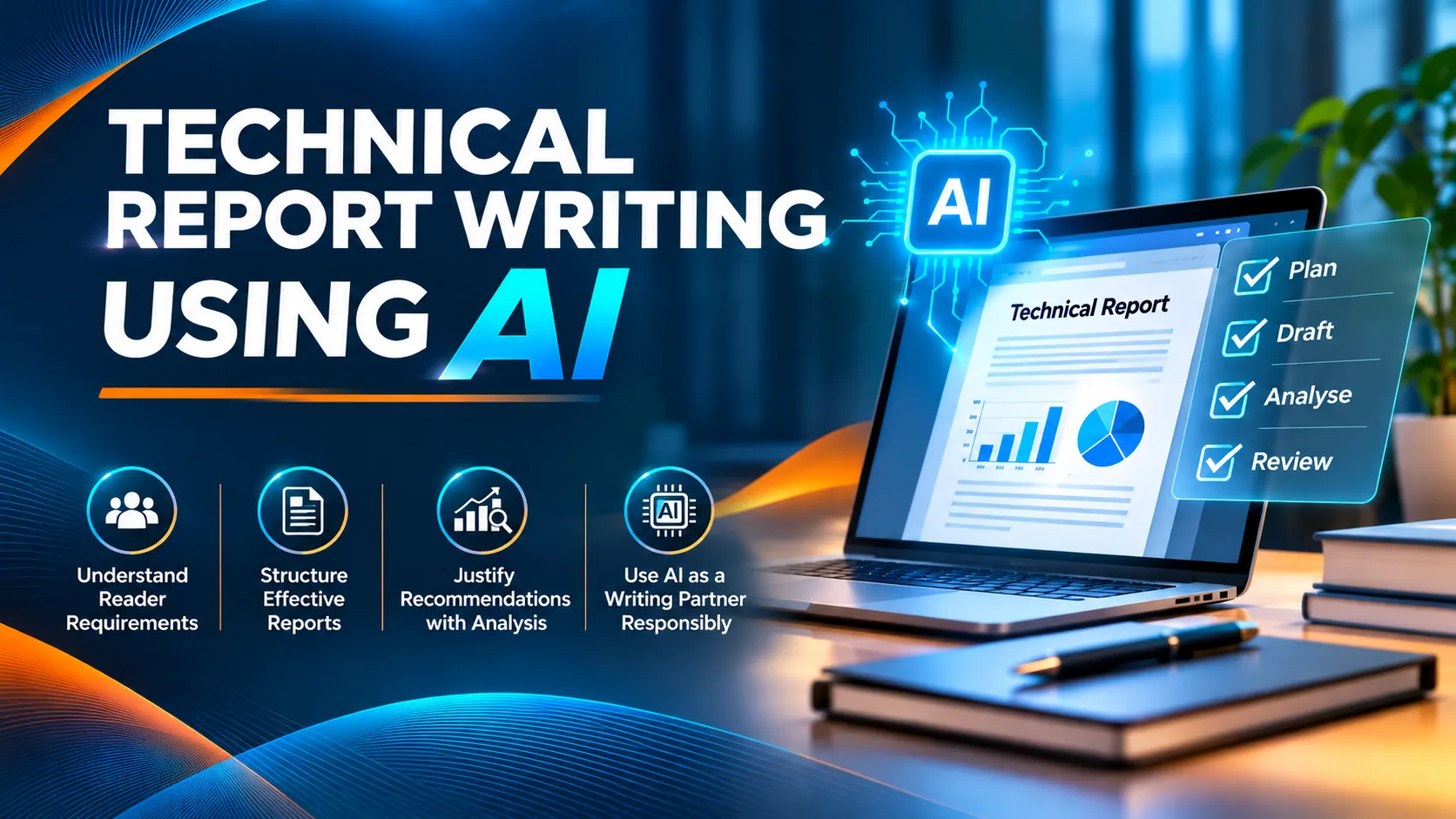
Well written reports result in cost and time savings as both specialist and non-specialist readers can quickly get actionable information from a single report. Decision makers and other readers can quickly understand the benefits of a successful implementation of the report recommendations.This comprehensive 2-day workshop/ training designed to enhance participants' technical report writing skills through structured writing techniques and the effective use of Artificial Intelligence (AI) tools. Participants will learn how to identify reader requirements, organise reports using standard components, develop clear and logical report sections, and present technical findings effectively to both specialist and non-specialist audiences. The programme also covers critical analysis of potential solutions, developing justified recommendations, preparing executive summaries, and reviewing completed reports against their objectives. Through practical exercises and hands-on AI activities, participants will learn to use AI as a writing partner for planning, drafting and reviewing report content while maintaining accountability for accuracy, critical judgment, confidentiality and responsible AI usage.

This workshop is intended for people who need to craft reports which clearly identify the information required by decision makers, guide them to key findings using structured report components, and finally justify the recommended solutions by using critical analysis. No prior experience with AI tools is required.

  • Connect to readers by empathizing with their needs
  • Improve decision making by understanding the context of making recommendations
  • Save time by focusing on the implication and consequences of high impact alternatives
  • Accelerate drafting and review by using AI as a co-writer, while keeping judgment with the writer
  • Understand what each individual report component is intended to achieve
  • Appreciate how the individual components integrate with one another to achieve the ultimate report objectives.
  • Craft reports that convey clearly to readers what the report was intended to achieve, what was discovered, and what needs to be done.
  • Use AI tools to plan, draft and review report content, while verifying accuracy and remaining accountable for the final report

Program Content

Opening Module: AI as a Writing Partner

Understanding AI In Report Writing:

  • What AI does well, and where it fails, in technical report writing
  • Writing effective prompts: role, reader, purpose, context, constraints and format
  • Verifying AI output: facts, figures, references and logic
  • Confidentiality and responsible use of AI tools

Learning Outcome:

  • Participants should be able to prompt AI effectively, and recognize that the writer remains accountable for accuracy, reader fit and confidentiality.

Activity:

  • AI Exercise: Prompt the same report brief twice, once with a vague prompt and once with a structured prompt, and compare the results
  • Start a personal prompt library, to be built up throughout the workshop

Module 1: Reader Requirements

Roots of Communication:

  • Reader Requirements
  • Message To Be Shared
  • Context of Situation
  • Reader Requirements:
  • Identifying your reader context with respect to their expertise and point of view
  • Matching your reader’s requirements to your requirements as a writer
  • The importance of identifying assumptions
  • Report Key Performance Indicators(KPI)

AI Co-Creation:

  • Using AI to role-play different readers (for example finance, engineering and regulatory) and list the questions each would ask
  • Comparing AI-generated reader profiles with your own analysis to surface hidden assumptions
  • Learning Outcome:
  • Participants should be aware that their viewpoint may not match their reader’s viewpoint.

Activity:

  • Exercise on Matching Reader Requirements

Module 2: Report Blueprints & Foundations

Report Types:

Report Components:

  • Introductions, Titles, Backgrounds
  • Analysis, Conclusions, Recommendations
  • Appendices, Executive Summaries

AI Co-Creation:

  • Using AI to propose a report skeleton for a given report type

Learning Outcome:

  • Participants should be able to understand the use of the standard report components, and how they fit into the overall flow of the report.
  • Participants should be able to evaluate AI-drafted report components against the purpose of each standard component.

Activity:

  • Exercise on How Title, Introduction and Background Introduce Readers To A Report

Module 3: Report Writing

The 3 stage writing cycle of planning, writing and checking reports.

Developing The Report Body:

Developing Main Report Body:

  • Previewing Report Sections
  • Concluding Report Sections
  • Developing Section Conclusions

AI Co-Creation:

  • Deciding where AI helps in the planning, writing and checking stages, and where the writer must stay in control

Learning Outcome:

  • Participants should be able to develop a report body that is organized logically and systematically, to match the report objectives.
  • Participants should be able to decide which stages of the writing cycle to use AI for, and which to keep human.

  Activity:

  • Exercise on Writing Report Body Sections & Conclusions

Module 4: Layering & Writing Tools

Data:

  • Analysis – Tools & Techniques
  • Presentation – Graphs & Tables
  • Common Writing Tools
  • Visual Structuring:
  • Bullets
  • Lists
  • Numbers

Layering Tools for Specialist & Non-Specialist Readers:

Sharing Specialized Concepts With Readers:

  • Glossary of Terms
  • Create Audience Specific Sections

AI Co-Creation:

  • Using AI to restate a technical finding for non-specialist readers and to draft a glossary of terms
  • Using AI to suggest graph or table formats and to draft captions
  • Checking AI output for accuracy drift, particularly in numbers and units

Learning Outcome:

  • Participants should be able to select the appropriate writing or layering tool to use, in order to convey their findings as accurately as possible to both technical and non-technical readers.

Activity:

  • Exercise on Report Layering

Module 5: Conclusions & Recommendations

Reader Expectations of Conclusions and Recommendations:

  • The Difference Between Conclusions and Recommendations
  • Development of Conclusions
  • Development of Recommendations

AI Co-Creation:

  • Testing whether each AI-drafted conclusion is supported by the findings, with no new information introduced

Learning Outcome:

  • Participants should be clear about what readers expect from conclusions and recommendations, and the differences between the two.
  • Participants should be able to test AI-drafted conclusions and recommendations against what the findings actually support.

  Activity:

  • Exercise on Conclusions and Recommendations

Module 6: Development of Recommendations

Development of Recommendations:

  • Critical Analysis of Potential Solutions/Recommendations
  • Decision Making Tools to Select the Optimal Recommendation
  • Presenting Recommendations with Justifications
  • Presenting Risks Associated with Recommendations

AI Co-Creation:

  • Using AI to generate alternative solutions and to draft a decision matrix and a risk list
  • Using AI as a devil's advocate to challenge your preferred recommendation
  • Challenging the criteria, weightings and justifications that AI proposes

Learning Outcome:

  • Participants should be able to understand the unique requirements of recommendations, and use critical thinking and decision making tools to select the best possible recommendation, and present it persuasively to decision makers.
  • Participants should be able to use AI to stress-test options, while applying their own critical judgment to select the final recommendation.

Activity:

  • Exercise on Selecting the Optimal Recommendation

Module 7: Executive Summaries

Executive Summary:

  • Decision Making Tool for Top Management
  • Content and Organization
  • Differences Between Summaries and Abstracts

AI Co-Creation:

  • Refining prompts to meet length, tone and decision-maker needs

Learning Outcome:

  • Participants should be able to write an executive summary which enables a decision maker to make a well informed decision about the recommendations made in a report.
  • Participants should be able to use AI to refine an executive summary while ensuring it enables a well informed decision.

Activity:

  • Exercise on Writing an Executive Summary.

Module 8: Completing Reports

Completing The Report:

  • Review Findings Against Report Objectives
  • Review Audience Specific Sections Against Target Reader Profile
  • Check Report KPIs

AI Co-Creation:

  • Using AI to check the draft against the report objectives, the target reader profile and the report KPIs
  • Checking consistency of terminology, figures and cross-references
  • Using AI Responsibly:
  • Accountability for the final report rests with the writer
  • Disclosure of AI use and organisational policy
  • Confidentiality of data and information
  • Building a personal prompt library for future reports

Learning Outcome:

  • Participants should be able to verify that the report objectives are addressed with respect to all targeted readers.
  • Participants should be able to use AI as a final reviewer, and apply responsible-use practices to AI-assisted reports.

Activity:

  • Exercise On Reviewing Completed Report Against Objectives and Readers

Course Info

  • No. Of Days: 2 Days
  • Class Time:9:00 am to 5:00 pm
  • Language:English
Enquire Now

Our Successful Training Highlights

The Lean Six Sigma Yellow Belt training at C.S. Yap Engineering refreshed understanding with engaging tools and group activities.

YELLOW BELT TRAINING

The Excel Intermediate training at MPOB was well-received for its engaging teaching style, practical shortcuts, and real-job relevance.

EXCEL INTERMEDIATE
EXCEL INTERMEDIATE

The AutoCAD 2D training was described as clear and easy to follow, with practical tips that helped beginners build confidence.

AUTOCAD 2D
AUTOCAD 2D

The Excel Intermediate training at KONE Elevators was praised for its hands-on approach, clear explanations, and practical Excel tips.

EXCEL INTERMEDIATE
EXCEL INTERMEDIATE

The Lean Six Sigma Green Belt training featured interactive group activities and structured tools for real-world projects.

SIX SIGMA GREEN BELT

The Excel Intermediate training provided practical skills and advanced techniques useful for professional reporting.

EXCEL BASIC & INTERMEDIATE

The Microsoft Project training at ST Electronics was interactive and well-delivered, with effective hands-on learning.

MS PROJECT
MS PROJECT

The Excel Intermediate training at Subsea Malaysia was relevant and practical, with helpful tips and clear explanations.

EXCEL INTERMEDIATE
EXCEL INTERMEDIATE

Participants appreciated the hands-on practice and real-life scenarios, which helped reinforce their understanding of Microsoft Project tools.

MSP
MSP

The Excel training was praised for its hands-on approach, engaging delivery, and simplified explanations that enhanced participants data skills.

EXCEL INTERMEDIATE
EXCEL INTERMEDIATE
Six Sigma Synergy

If you are project engineers, graduate students, school leavers, planners or designers who are looking for any of the above training courses, Six Sigma Synergy is the best choice!

Quick links

  • About Us
  • Blog

Useful Links

  • Enquire Now
  • Contact us

Connect

C-18-06, 3 two square, Block C, 6th floor, Jalan 19/1, 46300 Petaling Jaya, Selangor, Malaysia

  • Phone : +60379566306

  • Email : info@6sigmasynergy.com.my

© Copyrights , Six Sigma Synergy. All Rights Reserved.
Developed By Techno Vibes

Trams & Condition Privacy Policy Contact Us
Send an Enquiry