• +60379566306
  • info@6sigmasynergy.com.my
Follow Us :
Six Sigma Synergy
  • Data Analysis NEW
    • MICROSOFT EXCEL (INTERMEDIATE) HOT
    • MICROSOFT EXCEL (ADVANCED)
    • MICROSOFT EXCEL AND PIVOT TABLE
    • Microsoft Excel Power BI HOT
    • Microsoft Power BI Certification HOT
    • Tableau Desktop NEW
    • Python For Data Science / Data Analysis
    • Microsoft Power Automate for Cross-Department Business Process Automation HOT
  • Lean Six Sigma HOT
    • Lean Thinking
    • Lean Practitioner
    • Lean Six Sigma Yellow Belt Certification
    • Lean Six Sigma Green Belt Certification
    • Lean Six Sigma Black Belt Certification (Service Sector)
    • Lean Six Sigma Black Belt Certification (Industrial Sector)
  • CAD course
    • AutoCAD 2D
    • AutoCAD 3D
    • AutoCAD Electrical
    • Ansys Workbench
    • Ansys Fluent
    • AutoDesk Inventor
    • SolidWorks
    • PLC Engineering NEW
    • Revit MEP
    • Revit Architecture
  • Project Management
    • Project Management Professional HOT
    • Primavera
    • Microsoft Project Training HOT
    • PMI – Agile Training
    • PPM Concepts
  • EXIN Courses
    • EXIN BCS Artificial Intelligence Foundation NEW
    • EXIN BCS Generative Artificial Intelligence Award NEW
    • EXIN Privacy and Data Protection Foundation
    • EXIN Information Security Foundation based on ISO/IEC 27001
    • EXIN Privacy and Data Protection Professional
    • EXIN BCS Machine Learning Award
    • EXIN Data Analytics Foundation
  • Others
    • ASME – BASIC NEW
    • ASME – INTERMEDIATE NEW
  • Enquire Now
Six Sigma Synergy

Contact Info

  • C-18-06, 3 two square, Block C, 6th floor, Jalan 19/1, 46300 Petaling Jaya, Selangor, Malaysia
  • +60379566306
  • info@6sigmasynergy.com.my
  • Home
  • Courses
  • Microsoft Power Automate for Cross-Department Business Process Automation

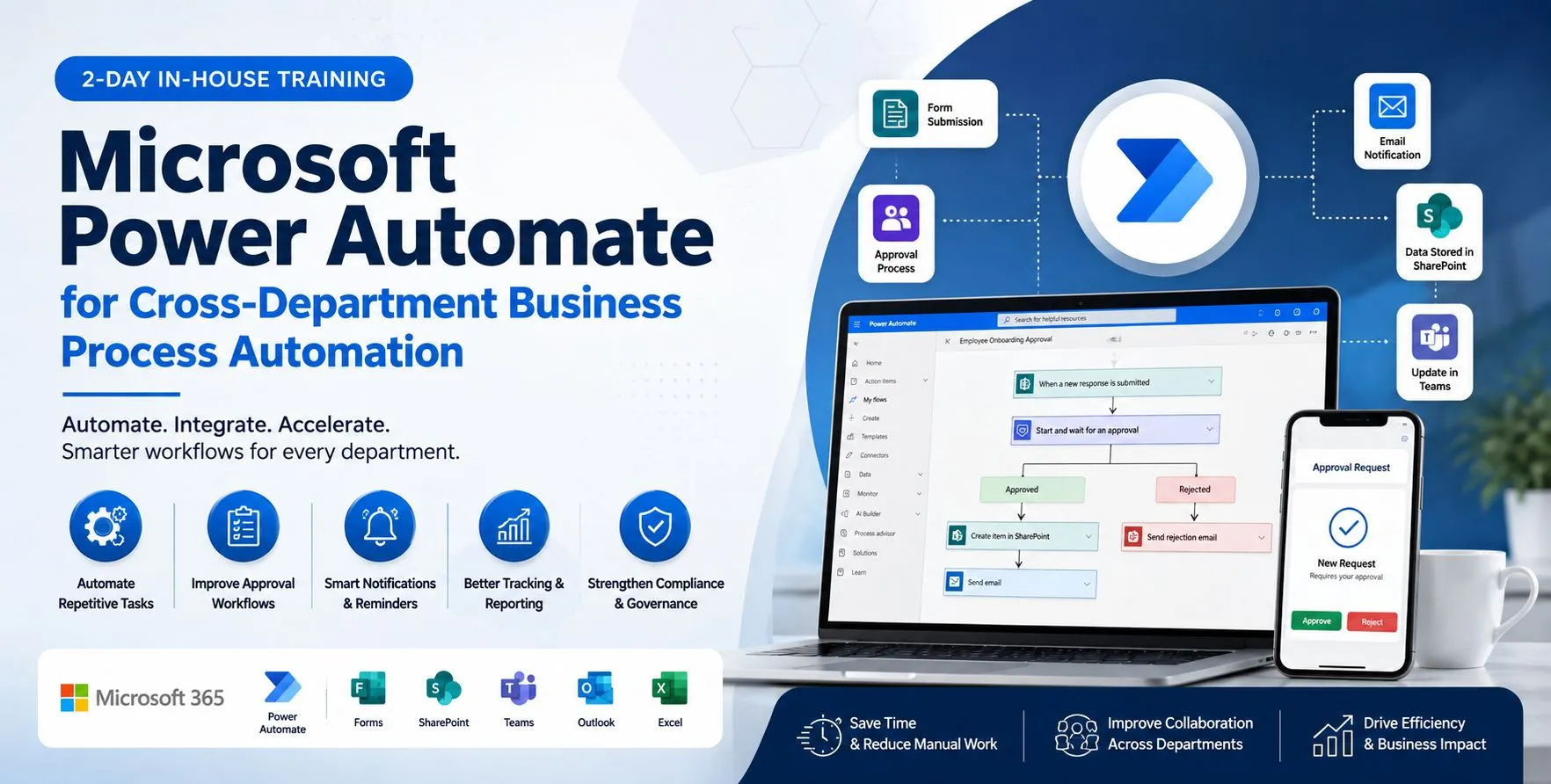
Microsoft Power Automate for Cross-Department Business Process Automation

Microsoft Power Automate for Cross-Department Business Process Automation
  • Course Overview

  • Training Objectives

  • Suggested Participants

This 2-day in-house programme is designed to equip participants with practical, hands-on skills in using Microsoft Power Automate to improve real business processes across multiple departments. The workshop focuses on identifying repetitive manual tasks, mapping approval and tracking workflows, designing notification logic, and automating operational processes using Power Automate together with Microsoft Forms, SharePoint, Outlook, Teams, Excel, and related Microsoft 365 tools.

The training will use realistic departmental use cases drawn from approval workflows, workforce monitoring, compliance tracking, alerts and communication, forms and data capture, case management, KPI reporting support, system integration scenarios, customer or internal service workflows, and finance/operations support. Participants will learn how to translate operational pain points into Power Automate flow designs that support faster execution, better tracking, stronger governance, and improved service quality.


By the end of this workshop, participants will be able to:

  • Understand how Microsoft Power Automate can improve operational workflows across multiple departments
  • Identify practical automation opportunities aligned with current business processes
  • Map business problems into Power Automate flows for approvals, notifications, reminders, tracking, and escalations
  • Recognize suitable use cases for Microsoft Forms, SharePoint Lists, Teams, Outlook, Excel, and approval actions within automation workflows
  • Design simple Power Automate solutions that improve efficiency, compliance, and reporting visibility
  • Evaluate where attended steps, automated routing, and system integration can reduce manual effort
  • Build a practical action plan for Power Automate opportunities within their business environment
  • Department Heads and Team Leads
  • Operations, Service Delivery, and Support teams
  • HR / Admin / Training coordinators
  • Workforce management or scheduling personnel
  • QA, coaching, and performance teams
  • Finance, facilities, and reporting personnel
  • Digital transformation / process improvement teams
  • Microsoft 365 power users involved in workflow improvement

2-Day Course Outline

Day 1 – Foundations of Microsoft Power Automate for Business Operations

9 Module 1 – Understanding Microsoft Power Automate in a Business Environment

Objective: Build a practical understanding of how Microsoft Power Automate supports operational efficiency across departments

Hands-on: Identify high-friction manual tasks in current department workflows and classify them into possible Power Automate flow scenarios

Module 2 – Approval, Request and Workforce-Related Workflow Automation

Objective: Explore how Power Automate can improve internal approvals, requests, attendance, scheduling, and administrative monitoring

Hands-on: Design a Power Automate approval flow for request submission, manager approval, notification, and status tracking

Module 3 – Forms, Data Capture and Notifications with Microsoft 365

Objective: Use Power Automate with Microsoft Forms, SharePoint Lists, Outlook, and Teams to improve data capture and communication

Hands-on: Convert a paper/email-based request or issue-reporting process into a Microsoft Forms + Power Automate + SharePoint workflow

Module 4 – Compliance, Asset and Lifecycle Tracking with Automated Reminders

Objective: Improve governance and visibility through Power Automate for compliance and lifecycle processes

Hands-on: Build a scheduled reminder flow for training compliance, certification expiry, asset monitoring, or document renewal tracking

Day 2 – Cross-Functional Power Automate Design, Reporting Support & Integration

Module 5 – Case Management, Work Assignment and Resource Optimization Flows

Objective: Understand how Power Automate can improve case handling, routing logic, and workload visibility

Hands-on: Build a simple Power Automate case-routing flow for internal service requests or operational task handling with assignment and follow-up notifications

Module 6 – KPI Reporting Support, Alerts and Dashboard Data Preparation

Objective: Use Power Automate to support cleaner reporting inputs, automated alerts, and dashboard-ready data flows

Hands-on: Define a simple reporting support flow that updates a tracking list and sends KPI-related alerts based on status or threshold conditions

Module 7 – Cross-System Integration and Connector-Based Automation

Objective: Explore how Power Automate connectors and workflow logic can reduce duplication and improve process continuity

Hands-on: Map a multi-system process and identify where connector-based automation can reduce rework or manual reconciliation

Module 8 – Departmental Use Cases and Power Automate Solution Planning

Objective: Consolidate practical Power Automate ideas across support and control functions for business improvement

Hands-on: Create a departmental Power Automate opportunity map and shortlist 3 practical use cases for post-training action

Example Use Cases Covered

The workshop will incorporate examples such as:

  • Training requests and approval workflows using Microsoft Forms and Approvals
  • Leave / OT applications and attendance monitoring with automated notifications
  • Compliance reminders and certification tracking via scheduled flows
  • Asset lifecycle and warranty alert monitoring using SharePoint-based records
  • Outlook / Teams notifications and escalation routing
  • Forms-based data capture into SharePoint Lists or centralized tracking systems
  • Case assignment and workload balancing through list-driven flow logic
  • KPI alerting and dashboard support through automated data updates
  • Cross-system data movement using Power Automate connectors
  • QA, coaching, finance, facilities, and inventory automation scenarios

Suggested Practical Outputs

By the end of the workshop, participants may produce:

  • A list of department-specific Power Automate opportunities
  • A sample approval or notification flow design
  • A workflow map for request / approval / tracking scenarios
  • A use-case prioritization matrix
  • Draft reporting-support automation requirements
  • A post-training action plan for Power Automate initiatives
  • The programme can be positioned as a practical Microsoft Power Automate business process improvement workshop with cross-department use-case exposure


Course Info

  • No. Of Days: 2-Day In-House Training
  • Note:

    Applicable Industry: Cross-Industry / All Industries
    Training Mode: Practical, hands-on workshop


Enquire Now

Our Successful Training Highlights

The Lean Six Sigma Yellow Belt training at C.S. Yap Engineering refreshed understanding with engaging tools and group activities.

YELLOW BELT TRAINING

The Excel Intermediate training at MPOB was well-received for its engaging teaching style, practical shortcuts, and real-job relevance.

EXCEL INTERMEDIATE
EXCEL INTERMEDIATE

The AutoCAD 2D training was described as clear and easy to follow, with practical tips that helped beginners build confidence.

AUTOCAD 2D
AUTOCAD 2D

The Excel Intermediate training at KONE Elevators was praised for its hands-on approach, clear explanations, and practical Excel tips.

EXCEL INTERMEDIATE
EXCEL INTERMEDIATE

The Lean Six Sigma Green Belt training featured interactive group activities and structured tools for real-world projects.

SIX SIGMA GREEN BELT

The Excel Intermediate training provided practical skills and advanced techniques useful for professional reporting.

EXCEL BASIC & INTERMEDIATE

The Microsoft Project training at ST Electronics was interactive and well-delivered, with effective hands-on learning.

MS PROJECT
MS PROJECT

The Excel Intermediate training at Subsea Malaysia was relevant and practical, with helpful tips and clear explanations.

EXCEL INTERMEDIATE
EXCEL INTERMEDIATE

Participants appreciated the hands-on practice and real-life scenarios, which helped reinforce their understanding of Microsoft Project tools.

MSP
MSP

The Excel training was praised for its hands-on approach, engaging delivery, and simplified explanations that enhanced participants data skills.

EXCEL INTERMEDIATE
EXCEL INTERMEDIATE
Six Sigma Synergy

If you are project engineers, graduate students, school leavers, planners or designers who are looking for any of the above training courses, Six Sigma Synergy is the best choice!

Quick links

  • About Us
  • Blog

Useful Links

  • Enquire Now
  • Contact us

Connect

C-18-06, 3 two square, Block C, 6th floor, Jalan 19/1, 46300 Petaling Jaya, Selangor, Malaysia

  • Phone : +60379566306

  • Email : info@6sigmasynergy.com.my

© Copyrights , Six Sigma Synergy. All Rights Reserved.
Developed By Techno Vibes

Trams & Condition Privacy Policy Contact Us
Send an Enquiry
Banner