• +60379566306
  • info@6sigmasynergy.com.my
Follow Us :
  • Enquire Now
Six Sigma Synergy
  • Data Analysis NEW
    • MICROSOFT EXCEL (INTERMEDIATE) HOT
    • MICROSOFT EXCEL (ADVANCED)
    • MICROSOFT EXCEL AND PIVOT TABLE
    • Microsoft Excel Power BI HOT
    • Microsoft Power BI Certification HOT
    • Tableau Desktop NEW
    • Python For Data Science / Data Analysis
  • Lean Six Sigma HOT
    • Lean Thinking
    • Lean Practitioner
    • Lean Six Sigma Yellow Belt Certification
    • Lean Six Sigma Green Belt Certification
    • Lean Six Sigma Black Belt Certification (Service Sector)
    • Lean Six Sigma Black Belt Certification (Industrial Sector)
  • CAD course
    • AutoCAD 2D
    • AutoCAD 3D
    • AutoCAD Electrical
    • AutoDesk Inventor
    • SolidWorks
    • PLC Engineering NEW
    • Revit MEP
    • Revit Architecture
  • Project Management
    • Project Management Professional HOT
    • Primavera
    • Microsoft Project Training HOT
    • PMI – Agile Training
    • PPM Concepts
  • EXIN Courses
    • EXIN BCS Artificial Intelligence Foundation NEW
    • EXIN BCS Generative Artificial Intelligence Award NEW
    • EXIN Privacy and Data Protection Foundation
    • EXIN Information Security Foundation based on ISO/IEC 27001
    • EXIN Privacy and Data Protection Professional
    • EXIN BCS Machine Learning Award
    • EXIN Data Analytics Foundation
  • Others
    • ASME – BASIC NEW
    • ASME – INTERMEDIATE NEW
  • Contact Us
Six Sigma Synergy

Contact Info

  • C-18-06, 3 two square, Block C, 6th floor, Jalan 19/1, 46300 Petaling Jaya, Selangor, Malaysia
  • +60379566306
  • info@6sigmasynergy.com.my
  • Home
  • Courses
  • AutoDesk Inventor

AutoDesk Inventor

AutoDesk Inventor
  • OVERVIEW

  • TRAINING OBJECTIVE

  • TRAINING OUTCOME

AUTODESK INVENTOR 4-DAYS TRAINING

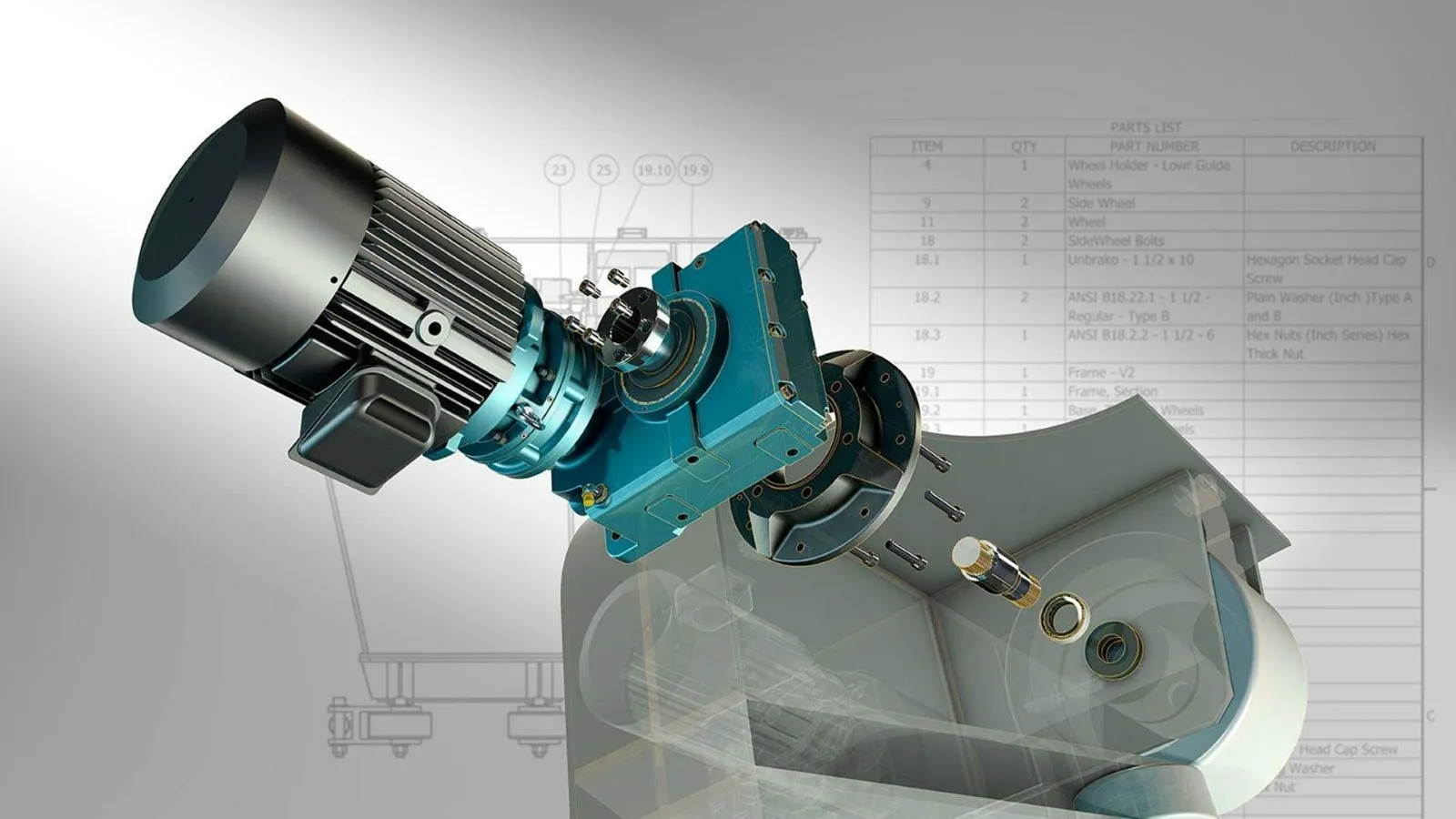
Autodesk Inventor is a popular computer-aided design (CAD) software developed by Autodesk, Inc. It is primarily used for 3D mechanical design, simulation, visualization, and documentation of products and mechanical components. Autodesk Inventor allows users to create detailed 3D models of mechanical parts and assemblies. It employs parametric modeling techniques, which means you can define the relationships and constraints between different parts, making it easy to modify designs and maintain design integrity.

  • To provide learners with a fundamental understanding of Autodesk Inventor’s interface, tools, and features.
  • The goal is to ensure that learners can navigate the software, create simple 3D models, and perform basic tasks like sketching, extruding, and assembling components.
  • To train users in creating complex 3D models and assemblies.
  • Learn how to create detailed 2D drawings and technical documentation. This involves training on generating engineering drawings, dimensioning, adding annotations, and reating Bill of Materials (BOM) for manufacturing.

The primary goal of Autodesk Inventor training is to make participants proficient in using the software. This includes understanding its interface, tools, and features. Training in Autodesk Inventor should enable participants to create 3D models and designs for various engineering and manufacturing applications. They should be able to create parametric models, assemblies, and drawings. Training often includes understanding engineering principles, especially in the context of product design and manufacturing. Participants should be able to apply engineering knowledge to their designs. Training should improve participants’ efficiency in using the software. This means they should be able to complete tasks more quickly and with fewer errors. Participants should learn how to troubleshoot issues that may arise during the design process and find solutions using Autodesk Inventor Participants should be able to create detailed engineering drawings and documentation using Autodesk Inventor, which is crucial for manufacturing and product development.

Course Outline

DAY-1

  • Understanding Inventor GUI.
  • File types and Templates.
  • Unit setup.
  • Sketch Environment.
  • View orientations.
  • Sketch tools.
  • Modifying tools.
  • Blocks.
  • Sketch constraining.
  • Sketch Diagnosis.
  • Sketch Dimensioning.
  • Applying parametric functions to the sketch.
  • Sketch Properties.
  • Reference Planes.

DAY-2

  • Part modelling overview.
  • Task performed in Part modelling Environment.
  • Part browser.
  • Creating part template.
  • CREATE & MODIFY Features.
  • Advanced features.
  • Pattern tools.
  • Solid editing tools.
  • Creating i-Part for multiple configurations.
  • Assigning i-Properties.

DAY-3

  • Assembly Modelling Environment.
  • Assembly & Sub-assembly.
  • Assembly Browser.
  • Standard parts from Content Centre.
  • Assembly Constraints & Relationships.
  • Restructure an assembly by dragging a component.
  • Promote & demote.
  • Replacing components.
  • Clash detection & interference Analysis.
  • Exploded View & Presentation.
  • Inventor studio Render.
  • Animation.

DAY-4

  • Creating Custom Sheet formats, Title blocks & Templates.
  • Adding custom fields to the title blocks.
  • Modifying the Sheet formats.
  • Inserting Parts & Assemblies to the drawing sheets.
  • Inserting Exploded views.
  • Creating Projections.
  • Creating section & detailed views.
  • Dimensioning Techniques
  • Creating BOM (Bill of Material).
  • Applying Annotations and Callouts.
  • Exporting drawings to PDF.

Course Info

  • No. Of Days: 4 Days
  • Language:English
  • Note:
    • Autodesk INVENTOR PROFESSIONAL 2020 and above is recommended.
Enquire Now

Our Successful Training Highlights

The Lean Six Sigma Yellow Belt training at C.S. Yap Engineering refreshed understanding with engaging tools and group activities.

YELLOW BELT TRAINING

The Excel Intermediate training at MPOB was well-received for its engaging teaching style, practical shortcuts, and real-job relevance.

EXCEL INTERMEDIATE
EXCEL INTERMEDIATE

The AutoCAD 2D training was described as clear and easy to follow, with practical tips that helped beginners build confidence.

AUTOCAD 2D
AUTOCAD 2D

The Excel Intermediate training at KONE Elevators was praised for its hands-on approach, clear explanations, and practical Excel tips.

EXCEL INTERMEDIATE
EXCEL INTERMEDIATE

The Lean Six Sigma Green Belt training featured interactive group activities and structured tools for real-world projects.

SIX SIGMA GREEN BELT

The Excel Intermediate training provided practical skills and advanced techniques useful for professional reporting.

EXCEL BASIC & INTERMEDIATE

The Microsoft Project training at ST Electronics was interactive and well-delivered, with effective hands-on learning.

MS PROJECT
MS PROJECT

The Excel Intermediate training at Subsea Malaysia was relevant and practical, with helpful tips and clear explanations.

EXCEL INTERMEDIATE
EXCEL INTERMEDIATE

Participants appreciated the hands-on practice and real-life scenarios, which helped reinforce their understanding of Microsoft Project tools.

MSP
MSP

The Excel training was praised for its hands-on approach, engaging delivery, and simplified explanations that enhanced participants data skills.

EXCEL INTERMEDIATE
EXCEL INTERMEDIATE
Six Sigma Synergy

If you are project engineers, graduate students, school leavers, planners or designers who are looking for any of the above training courses, Six Sigma Synergy is the best choice!

Quick links

  • About Us
  • Blog

Useful Links

  • Register with us
  • Enquire Now
  • Contact us

Connect

C-18-06, 3 two square, Block C, 6th floor, Jalan 19/1, 46300 Petaling Jaya, Selangor, Malaysia

  • Phone : +60379566306

  • Email : info@6sigmasynergy.com.my

© Copyrights , Six Sigma Synergy. All Rights Reserved.
Developed By Techno Vibes

Trams & Condition Privacy Policy Contact Us
Send an Enquiry
Banner